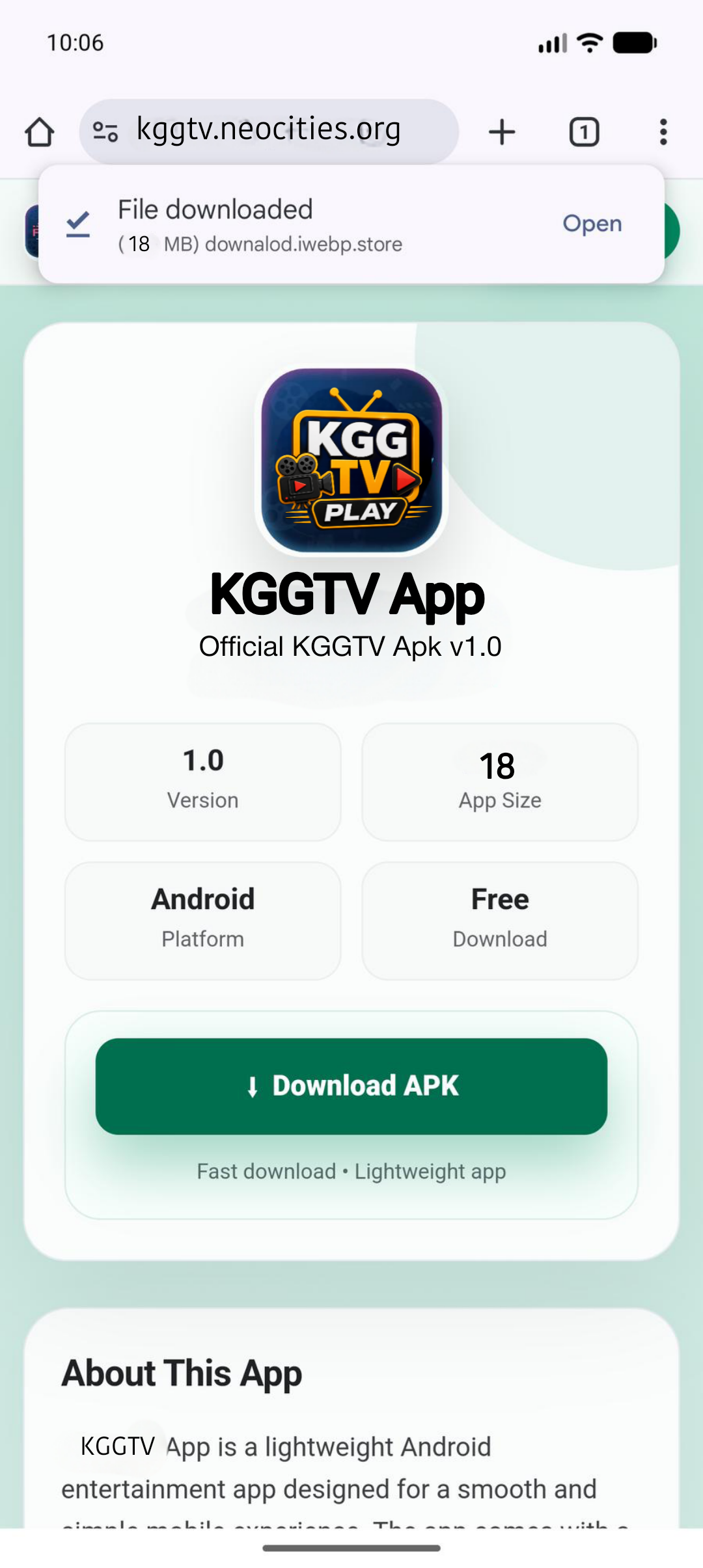
1
Download complete
APK download hone ke baad notification ya Chrome download bar me Open par tap karein.

Official KGGTV Apk v1.0
Fast download. Follow the tutorial below if Android asks for install permission.
KGGTV App v1.0 is a small Android APK built for a simple mobile experience. Download the APK, open the file, allow install permission if Android asks, and start the app after installation.
Lightweight file size for quick download on mobile data.
Made for Android phones with a clean app-style flow.
Real screenshots show every download and install step.
Watch the full process before installing the APK.
Is video me complete process dikhaya gaya hai: APK download karna, Settings me permission allow karna, install karna aur app open karna.
Tip: Unknown app permission sirf trusted APK ke liye allow karein. Install ke baad permission off kar sakte hain.
Neeche diye gaye screenshots ko step by step follow karein.
APK download hone ke baad notification ya Chrome download bar me Open par tap karein.
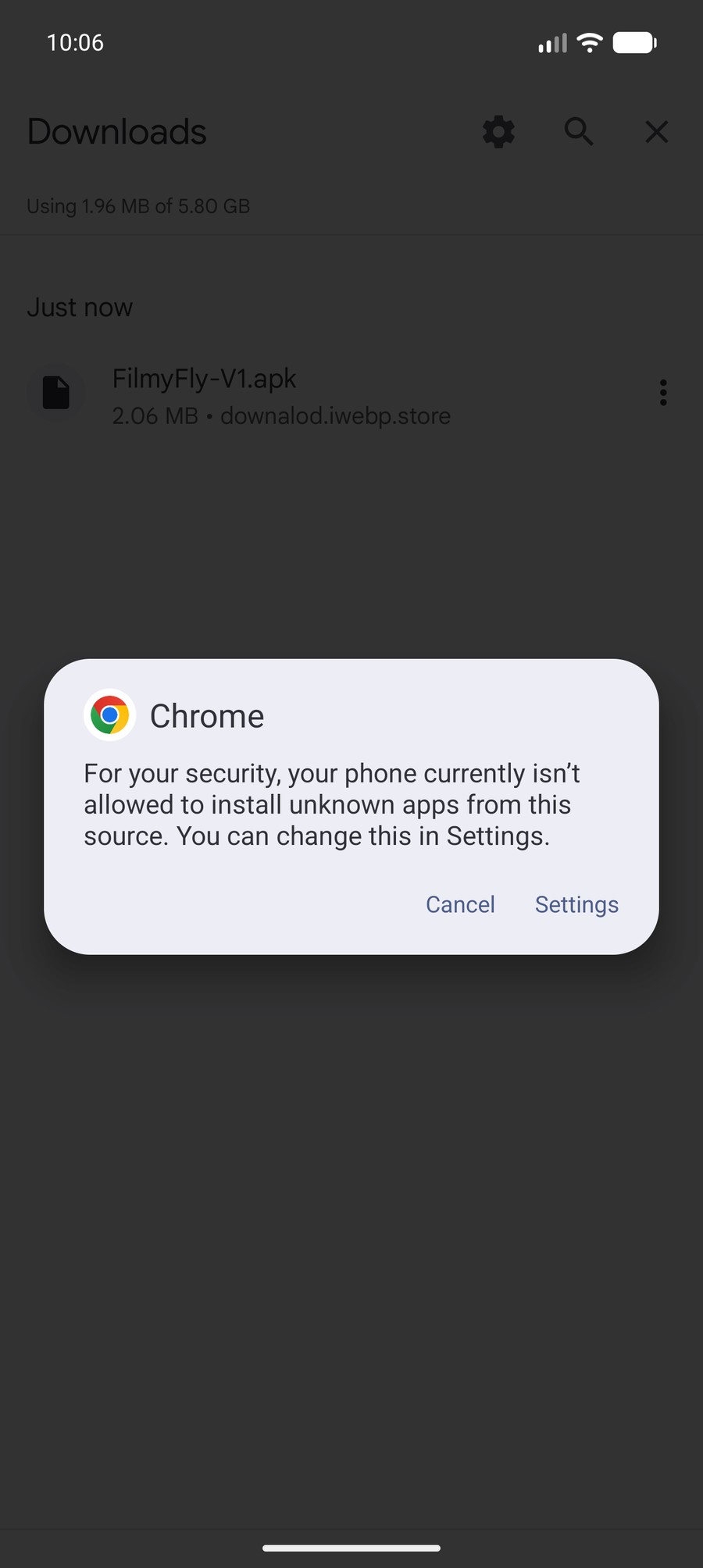
Agar Android unknown source warning dikhaye, Settings button par tap karein.
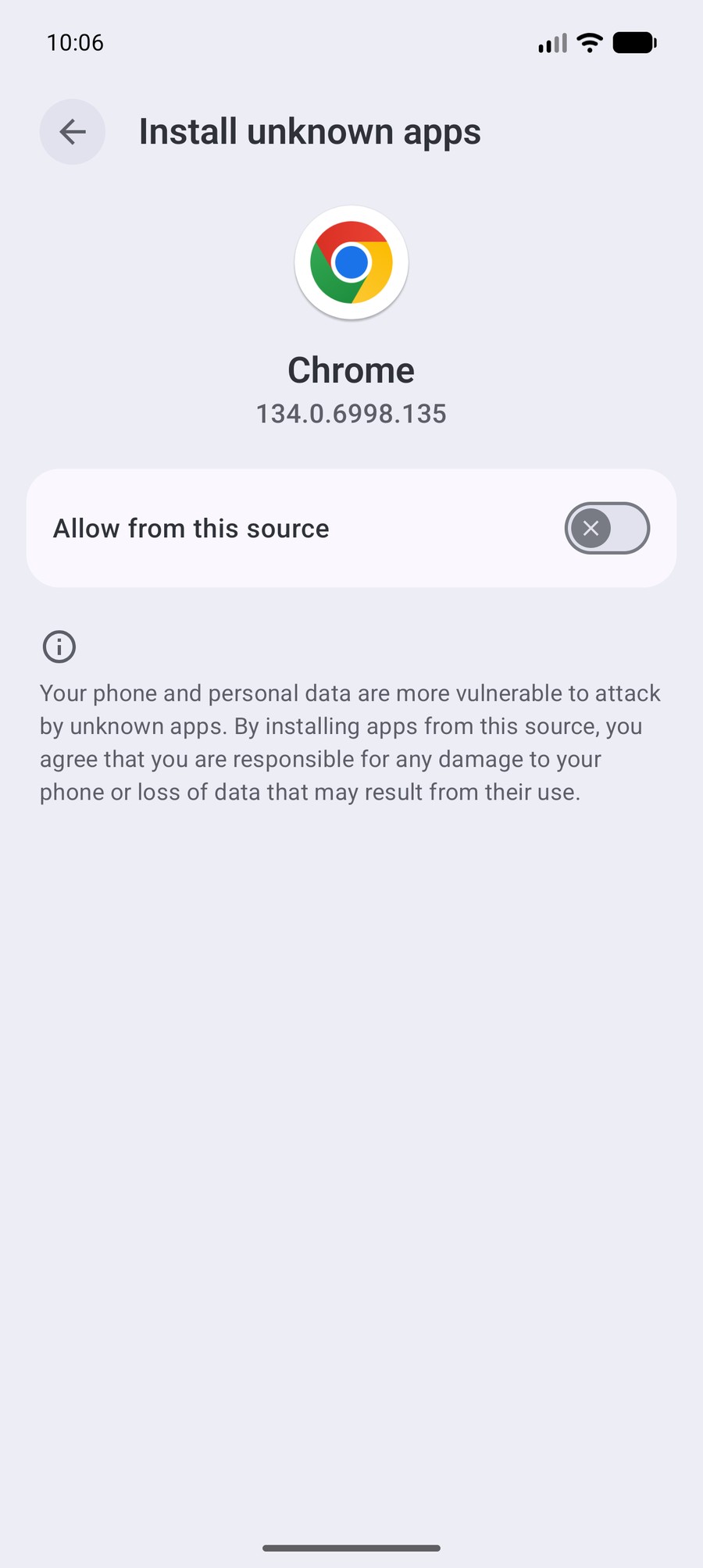
Chrome ke liye Allow from this source toggle on karein, phir back karein.
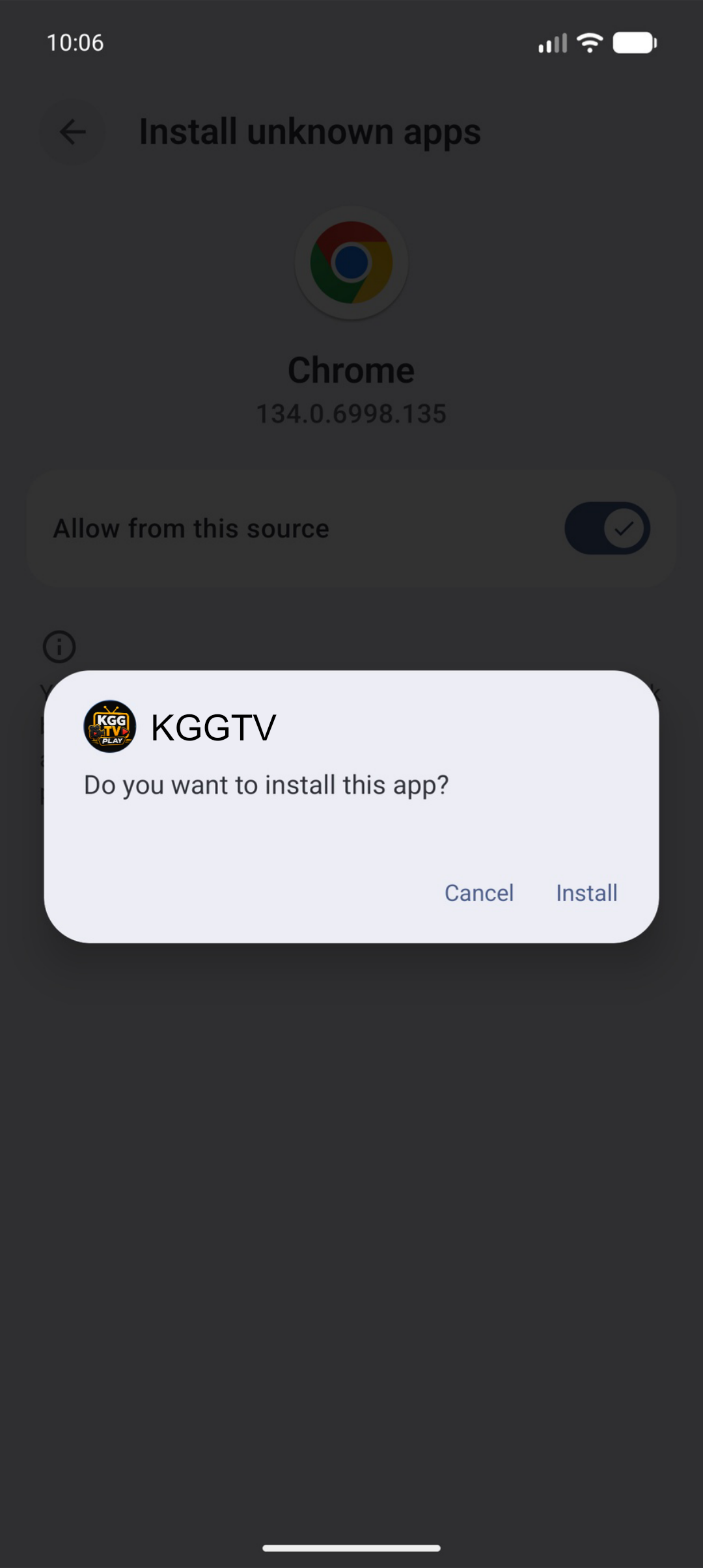
KGGTV install popup me Install par tap karein aur process complete hone dein.
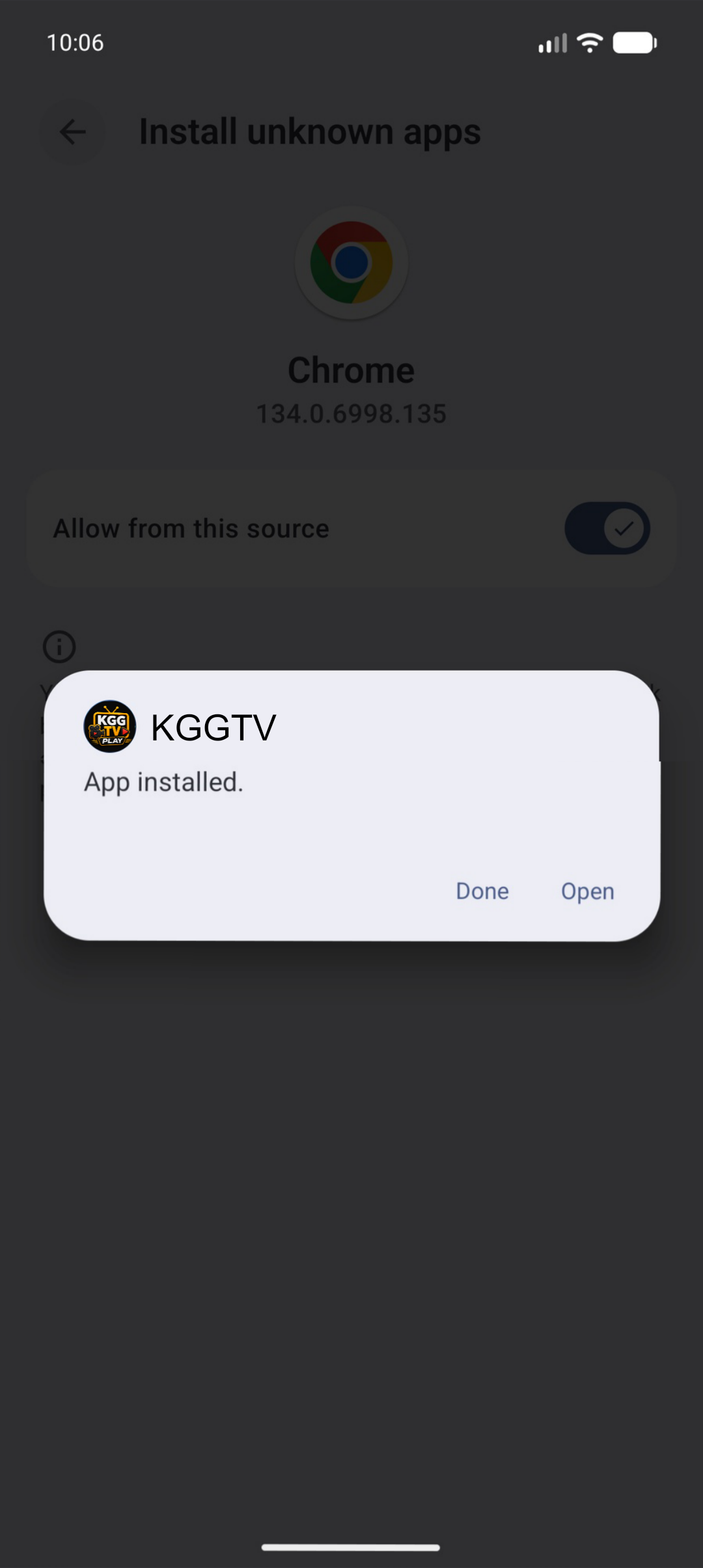
App installed message ke baad Open par tap karke app start karein.
Download APK -> Open file -> Settings -> Allow from this source -> Install -> Open.
Unknown app permission Android ka security feature hai. Permission sirf trusted source ke liye allow karein, aur install ke baad off kar den.